One app, two shots.
Folded and unfolded.
Every Duo app needs the same pair of App Store screenshots: your app on the folded cover screen, and on the unfolded 7.6-inch display. Made from Apple's real Duo photos — your screenshot warped into the actual device, not a redrawn frame.
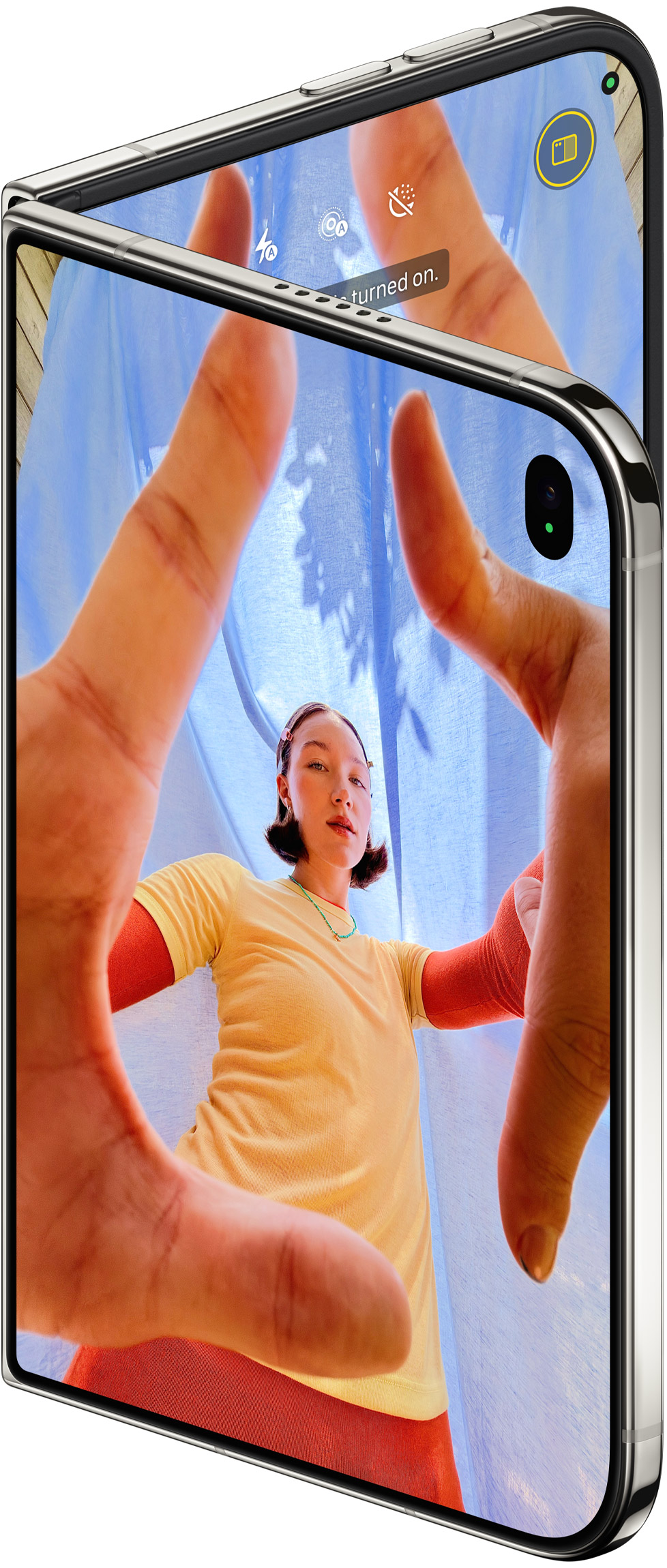
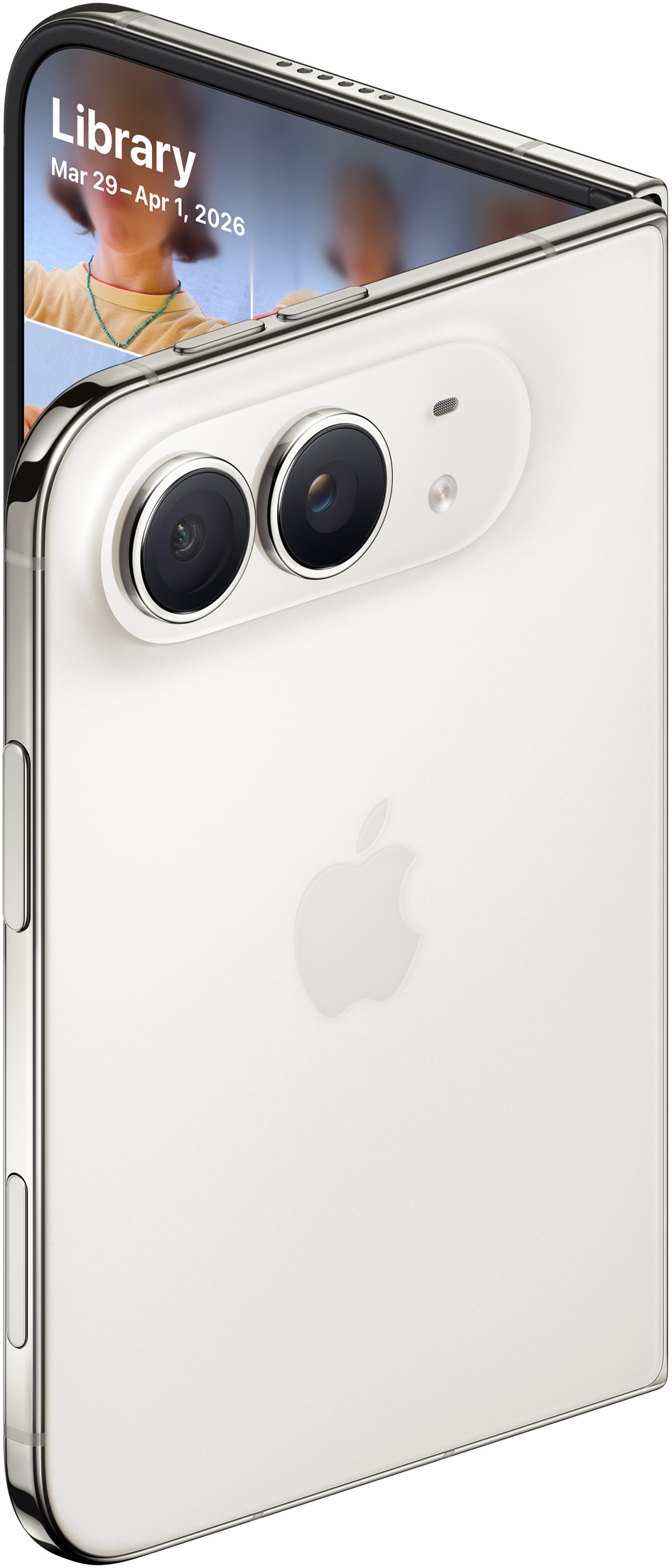
It gets fitted to the real Duo screen — no stretching
One price. The pair.
Built for developers shipping Duo apps now, while the App Store still has almost no accurate Duo shots.
- The 2 main shots: folded cover + unfolded display, one-click export
- Extras: unfolded portrait, back
- Real Apple Duo photos — not redrawn frames
- PNG exports at each photo's native resolution
- Figma-ready SVG for every view — drop straight into your App Store artboards
- Unlimited exports · commercial use in App Store listings
Why accuracy matters
The Duo's screens are squat — about 1.4:1, not the tall 19.5:9 of a regular iPhone. Stretch a normal iPhone frame and your UI looks wrong on sight: type squishes, the tab bar lands in the wrong place, and reviewers notice. These shots use Apple's published panel sizes and Apple's own product photography, so what you export is what the device actually looks like running your app.
Export PNG when you need a finished shot, SVG when you want to keep editing in Figma — layout, captions, and background stay editable there.
FAQ
What are the main App Store shots for an iPhone Duo app?
Two: your app on the folded cover screen and on the unfolded inner display. Those are the pair buyers expect. Unfolded portrait and back views are extras.
Are these really photos of the Duo?
Yes — Apple's official product photos from apple.com/iphone-duo. Your screenshot is warped in perspective into the actual screen in each photo, and Apple's bezels, camera pill, and hinge are laid back over the top. No vector lookalikes.
What resolution are the exports?
Each photo's native resolution: folded cover 978×2300, unfolded 522×668, unfolded portrait 318×520, back 982×2290. The screen content itself is rendered at the Duo's true aspect ratio (cover 1398×2034, inner 2670×1878), so proportions are exact even though the photo is the bounding size.
Do I get a real Figma (.fig) file?
You get Figma-ready SVG for every view — open it in Figma and the composite sits on your artboard, ready for captions and layout. A native .fig bundle is on the roadmap; SVG covers every Figma workflow today.
Can I use the exports in my App Store listing?
Yes — the $20 pack includes commercial use in App Store listings, your website, and launch marketing.
Is this affiliated with Apple?
No. Duo Shots is an independent tool for developers. iPhone Duo, Apple, and App Store are trademarks of Apple Inc. Device photography is Apple's, used here for identification.